
To check your MSport Account Balance:
1. Log into your MSport account
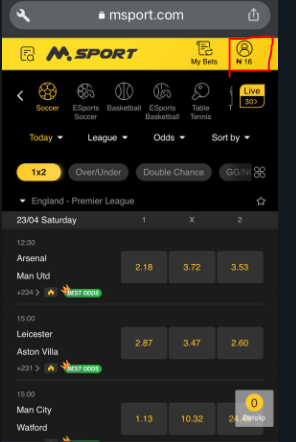
2. At the top right corner of the page, your Balance amount is displayed on the top right corner of the homepage.
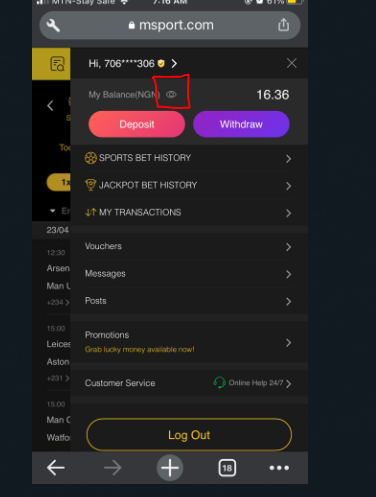
N.B: You can also choose to hide or show balance information by clicking the "My Account" and the "Eye Icon on your account". Once your balance is hidden, your balance will show the asterisks symbol (****)
Comments
0 comments
Please sign in to leave a comment.