
1.) Kindly click on the "ME" icon.
2.) Click on Settings.
3.) Click on Account Security.
4.) Click on Delete Account.
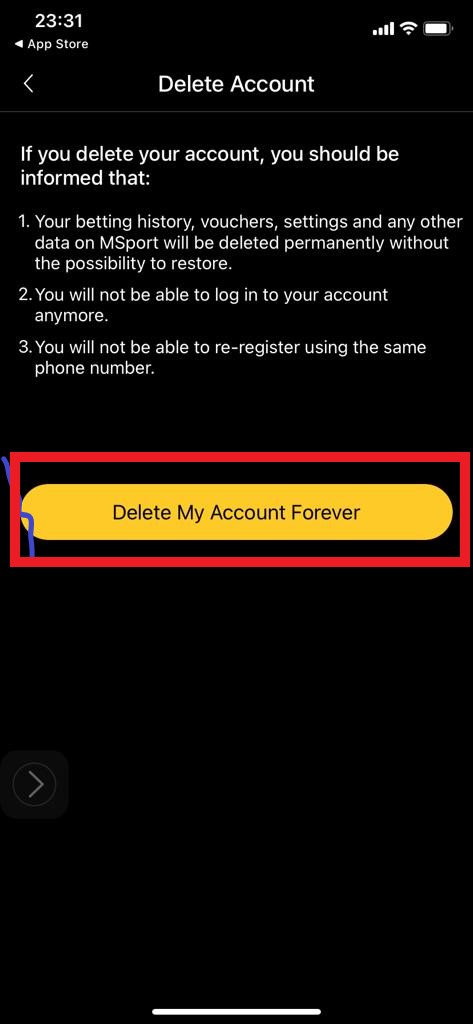
5.) Click on Delete My Account Forever.
N.B: If you delete your account, you should be informed that:
i.) Your betting history, vouchers, settings and any other data on MSport will be deleted permanently without the possibility to restore.
ii.) You will not be able to log into your account anymore.
iii.) You will not be able to re-register using the same phone number.
1.) Click on Settings.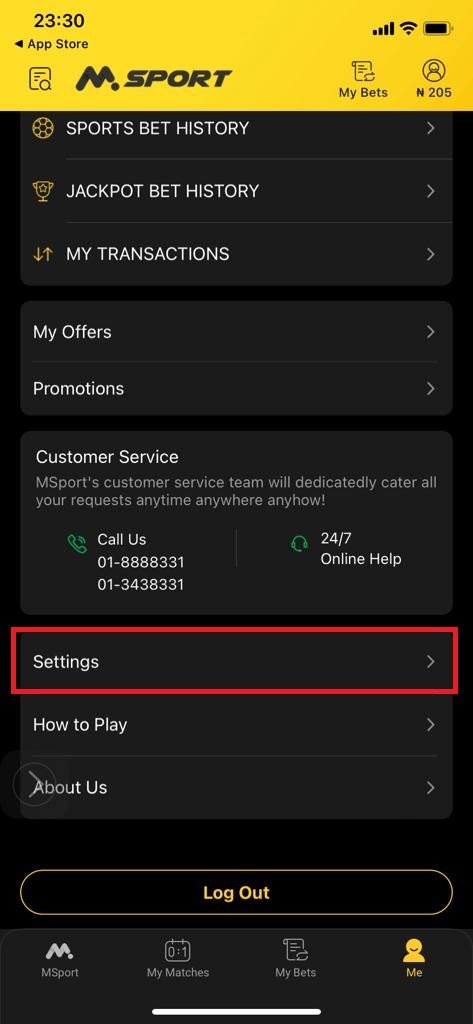
2.) Click on Account Security.
3.) Click on Delete Account.
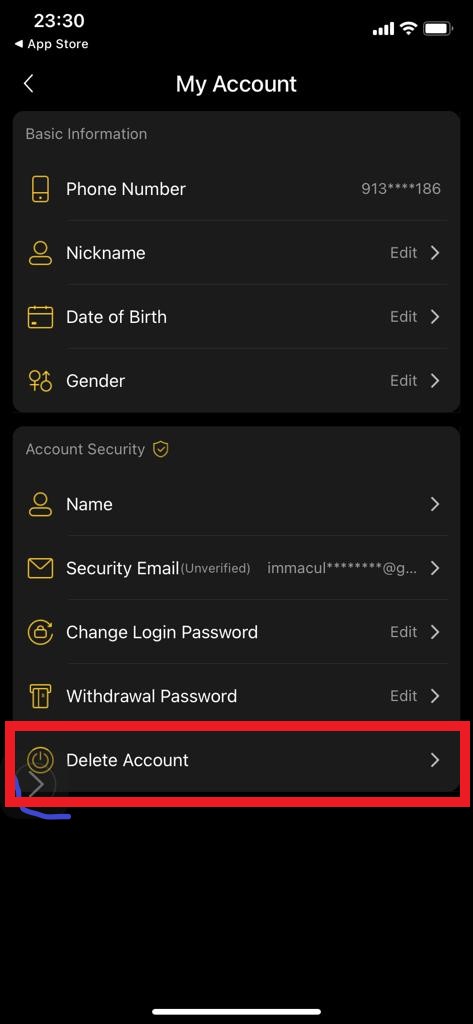
4.) Click on Delete My Account Forever
Comments
2 comments
I mean a ticket and the money enter pending
I mean a ticket and the money enter pending
Please sign in to leave a comment.