
If you want to delete a bet record, you can use the following method:
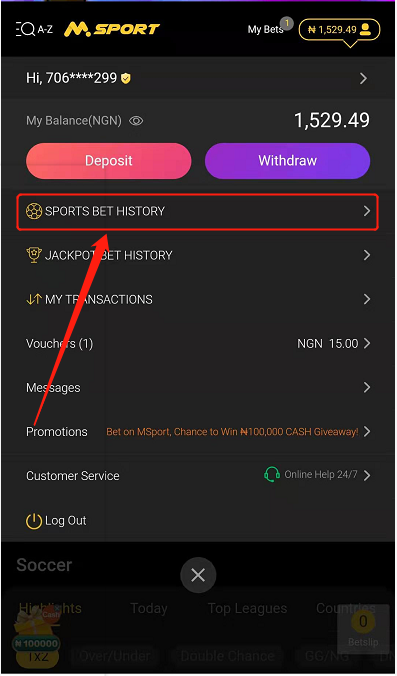
1. Open the "Bet History" page.
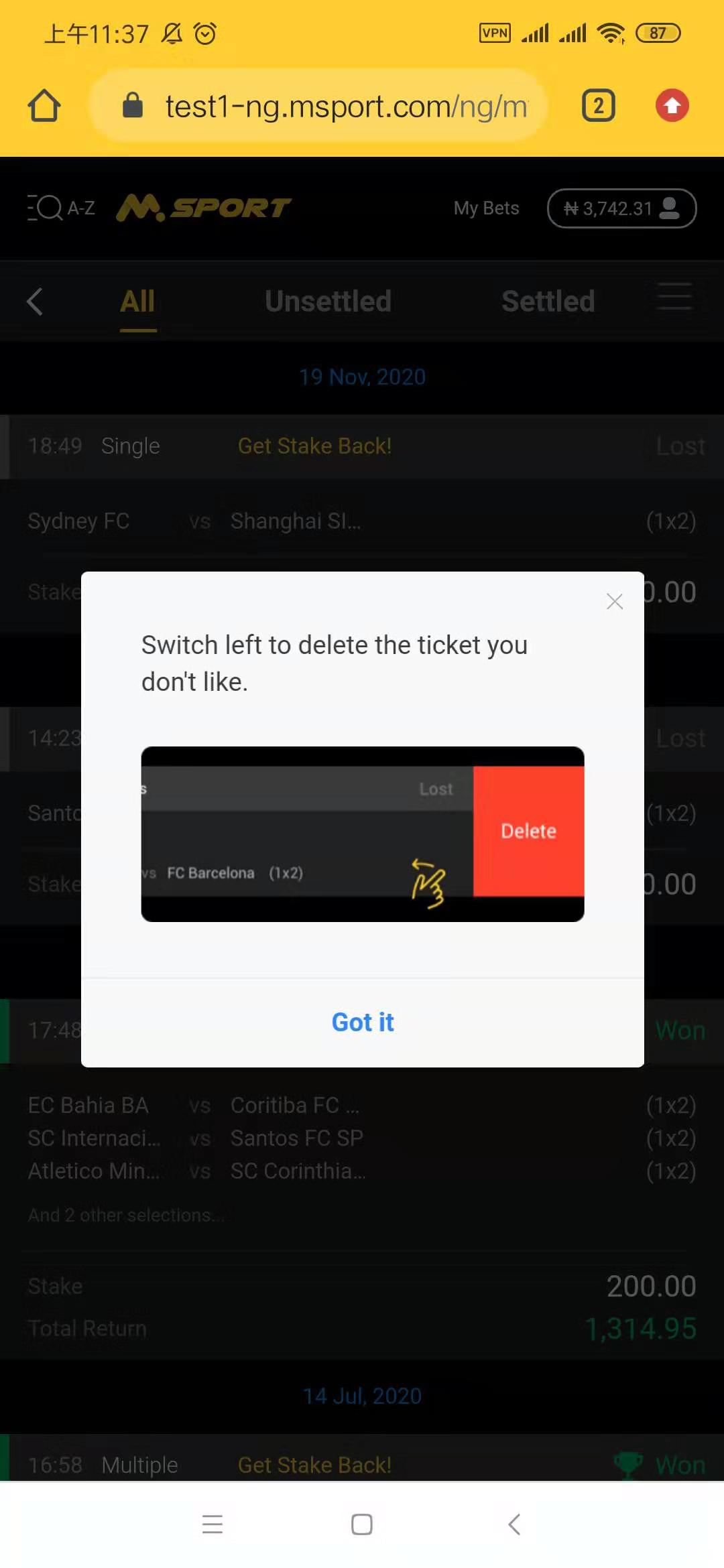
2. When you open the bet history, you may see a prompt message, just as the following picture shows.
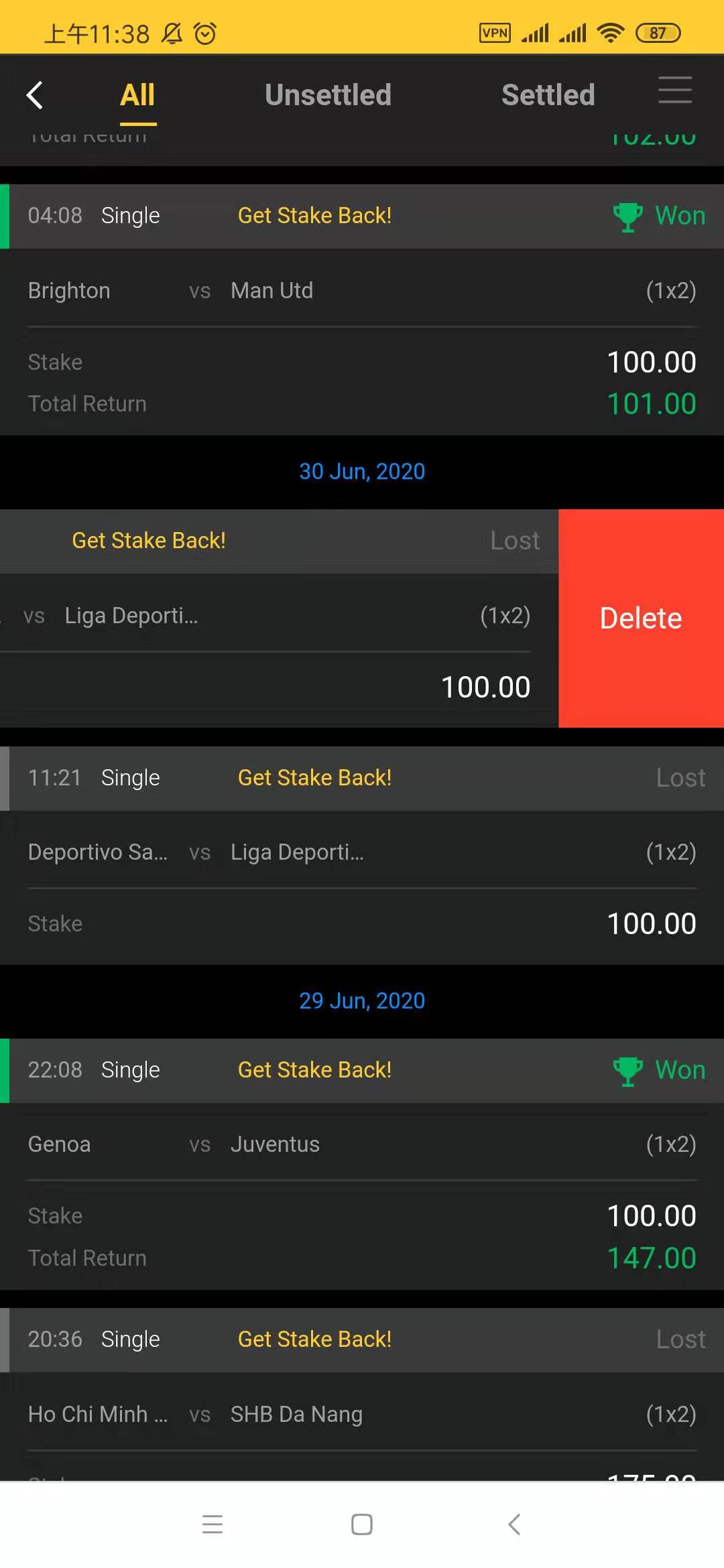
3. Find the bet record you want to delete, then switch the item to the left, and you will see the delete button.
4. Click "Delete" option when the system confirm with you.
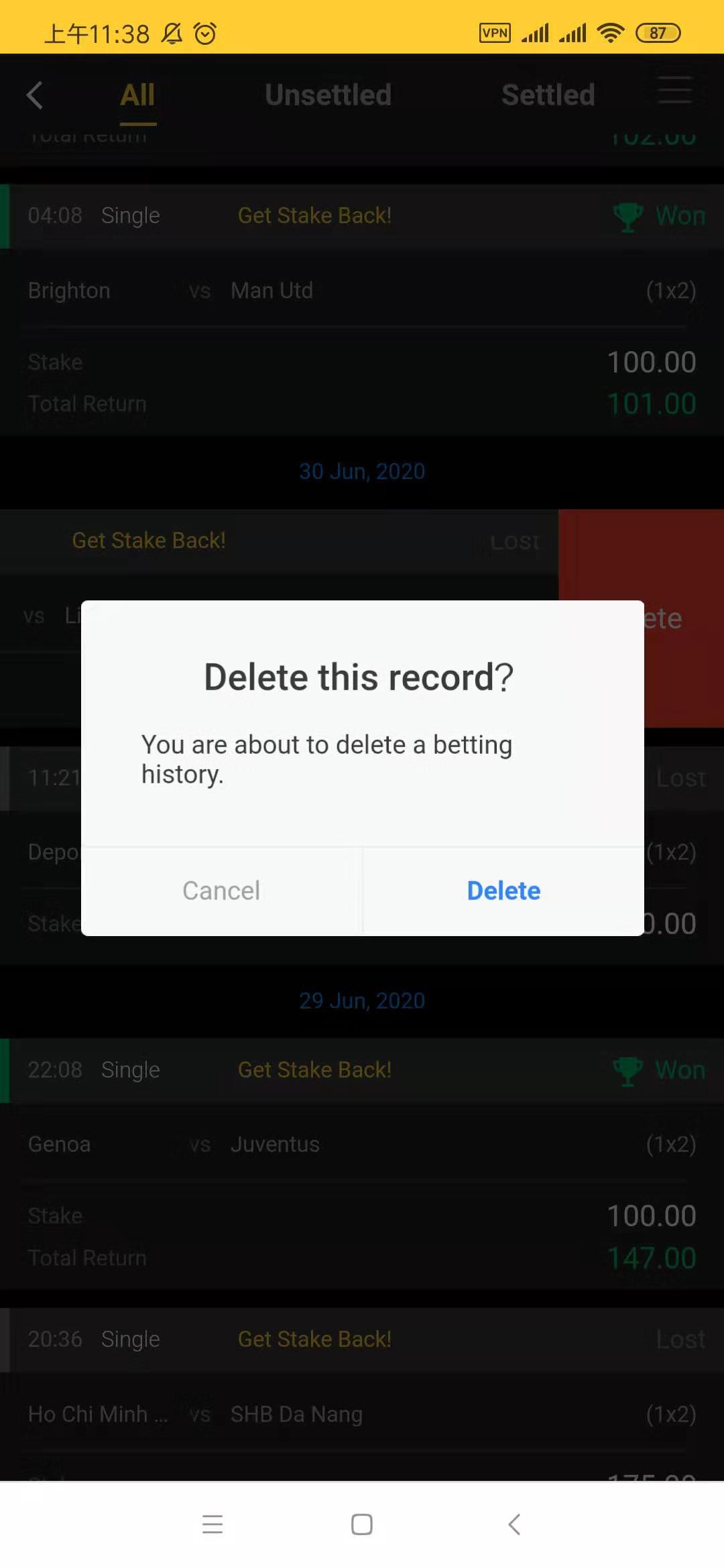
After you clicked "Delete", the bet history will be deleted.
Comments
0 comments
Please sign in to leave a comment.